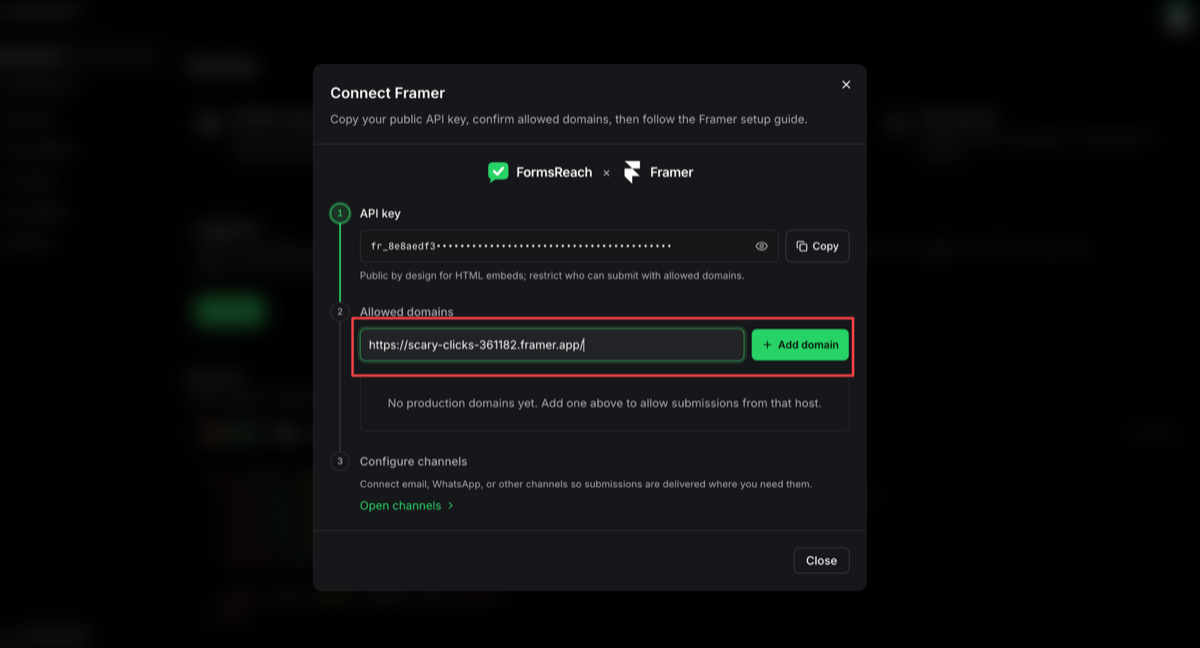
Common questions about FormsReach with Framer.
Why do I need an allowed domain?+
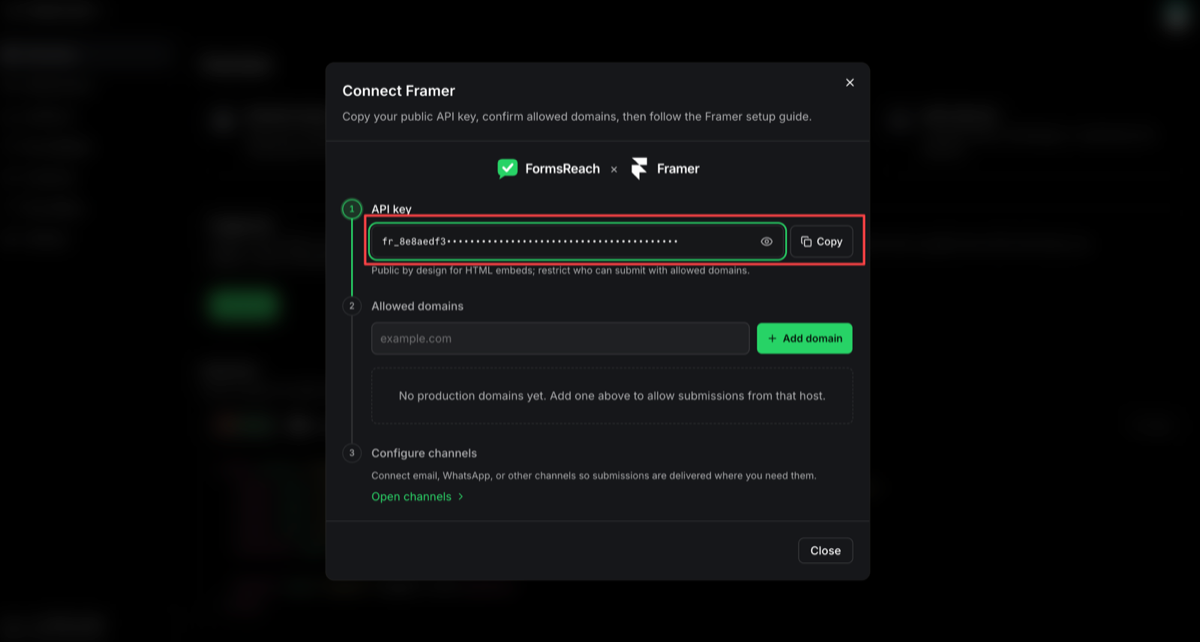
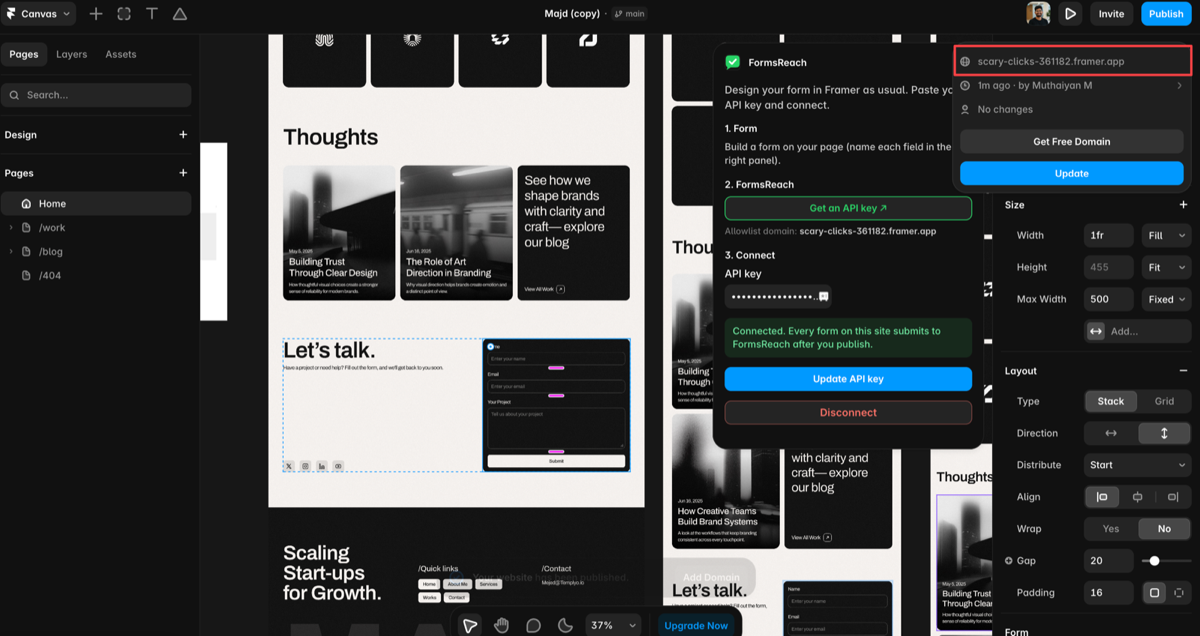
The form API key is public by design for HTML embeds. Allowed domains restrict which hosts can submit. Add every production host you publish in Framer, including custom domains.
Does Framer need a custom backend for contact forms?+
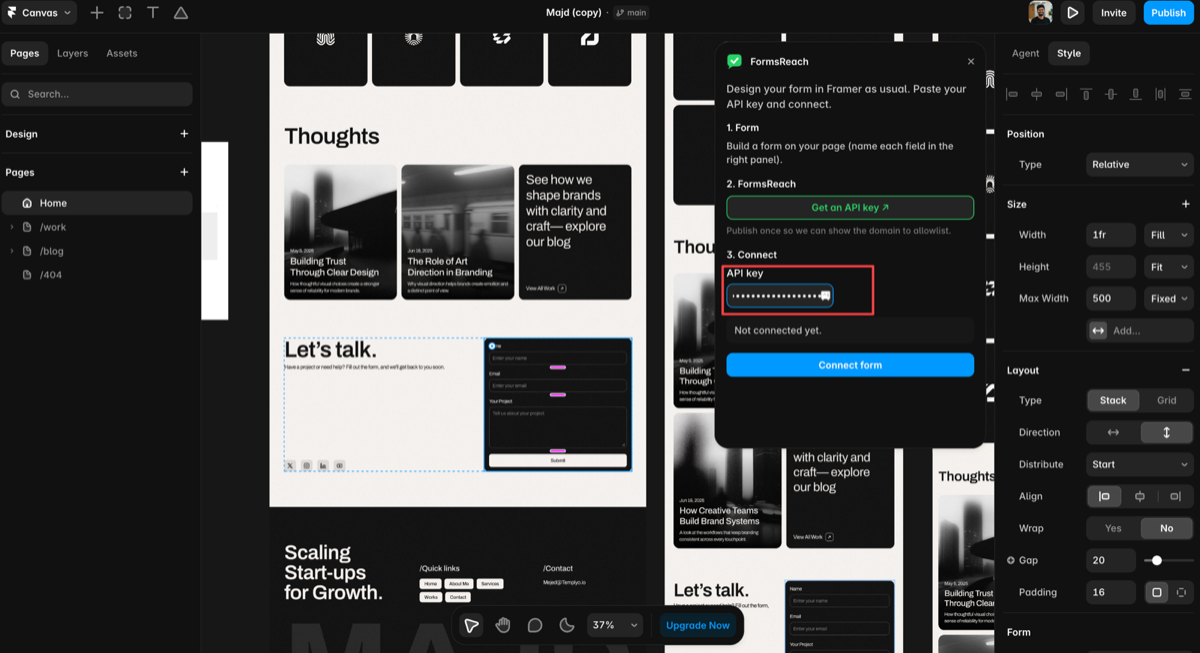
No for this path. FormsReach is the form backend. The Framer plugin and form markup POST to our endpoint with your key and a whitelisted domain.
Can I style the form in Framer?+
Yes. Style wrapper frames in Framer and use CSS classes on the form, or keep the form minimal and style around it.
Free vs paid delivery?+
Email, webhooks, and workflow rules are available on Free and Starter with monthly credits. WhatsApp via Meta WhatsApp Business API is available on Pro and Agency.
What if I prefer raw HTML instead of the plugin?+
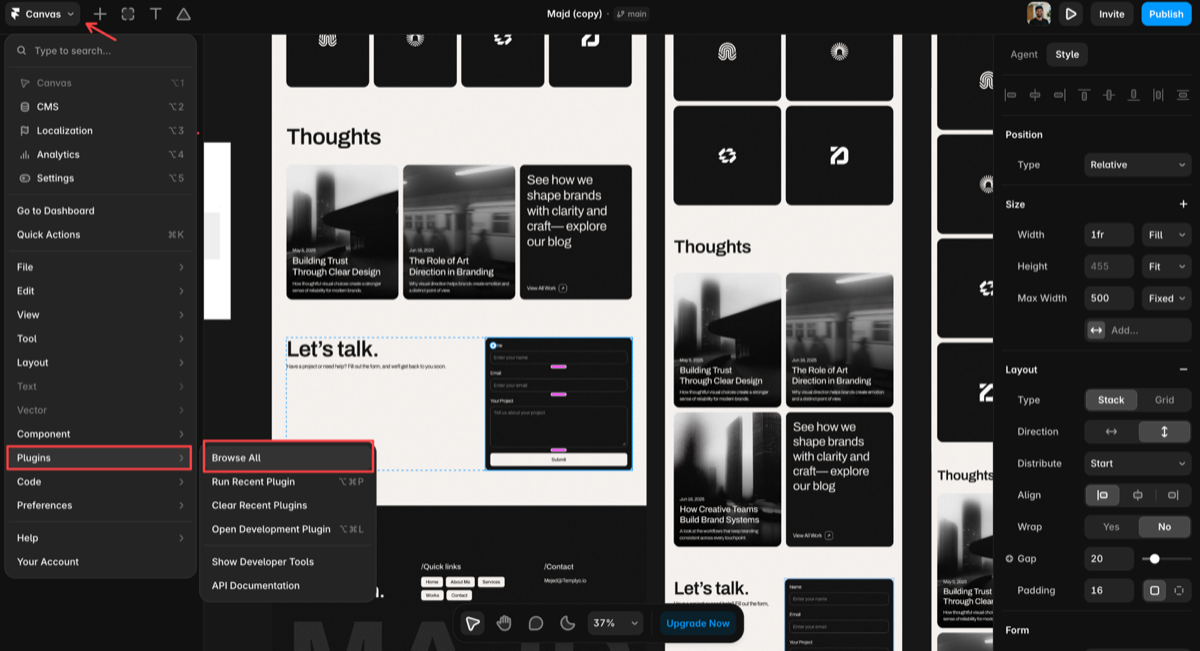
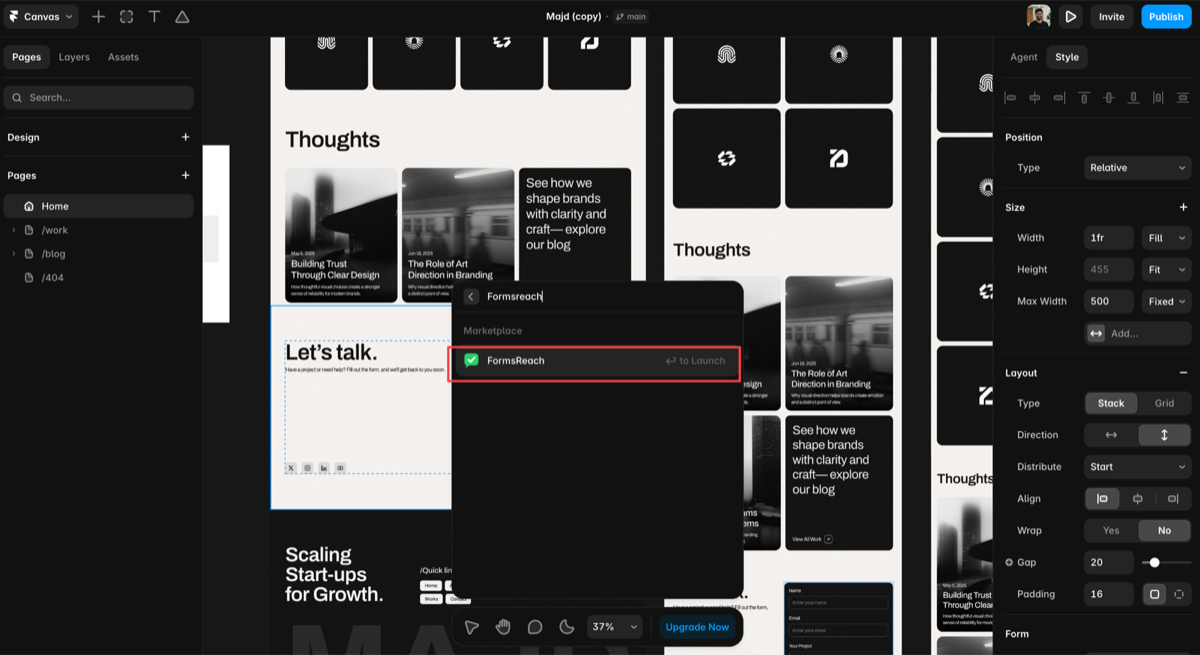
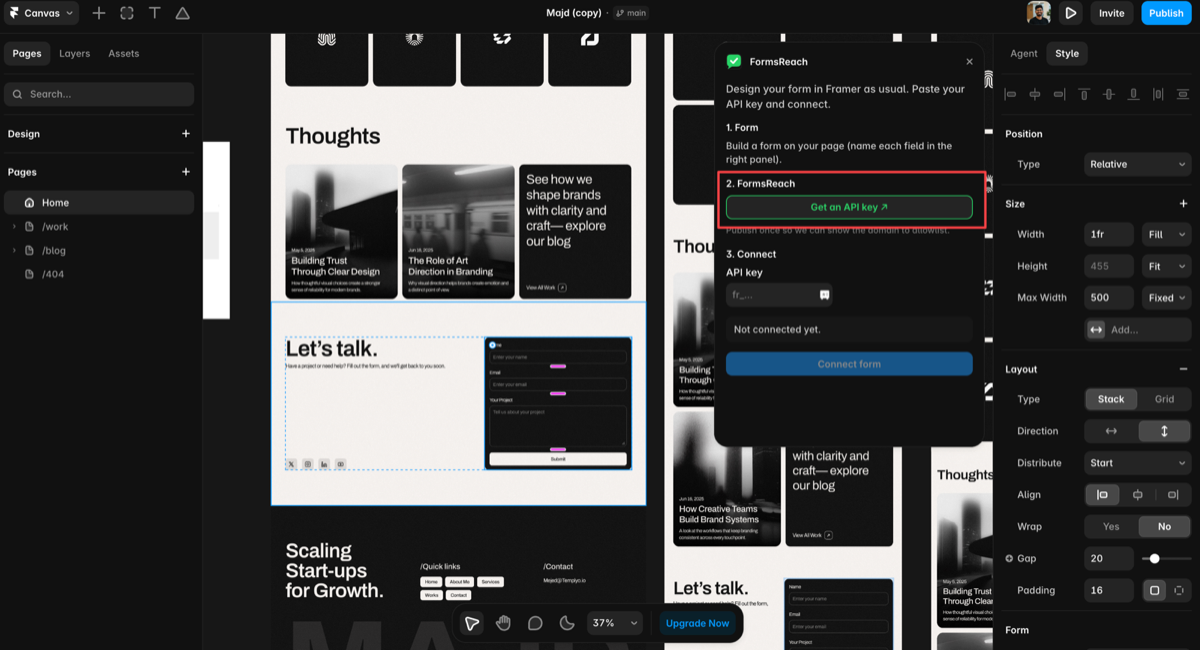
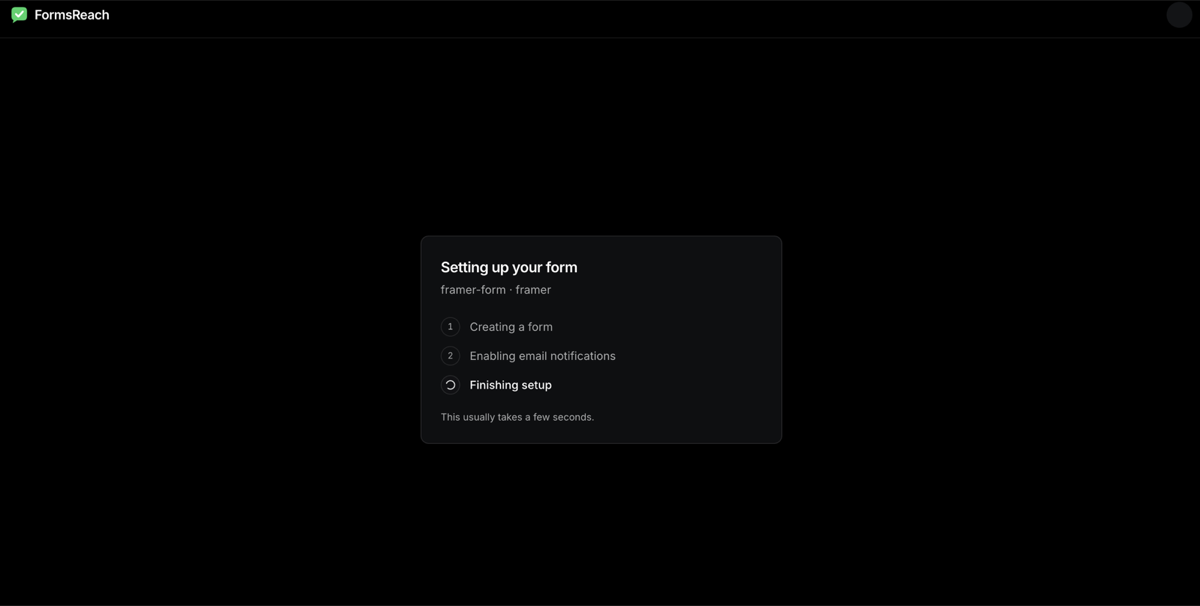
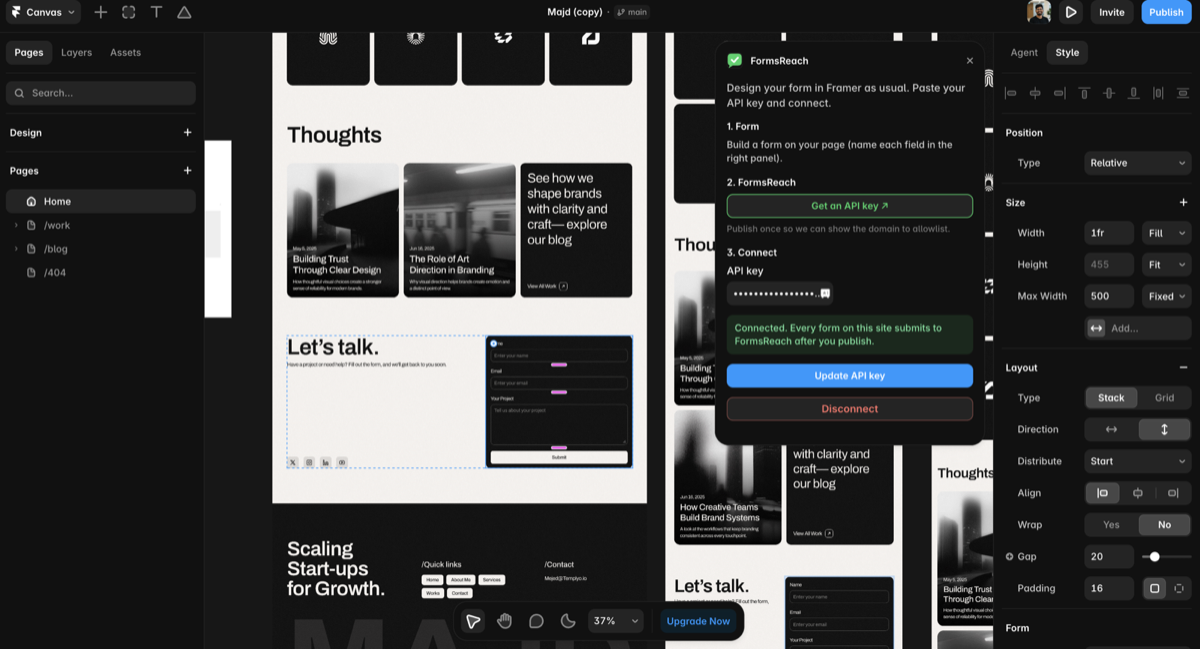
You can still paste an HTML form with method POST, the FormsReach submit URL, and a hidden api_key field into a Code or Embed component. The plugin is the guided path shown in the screenshots.