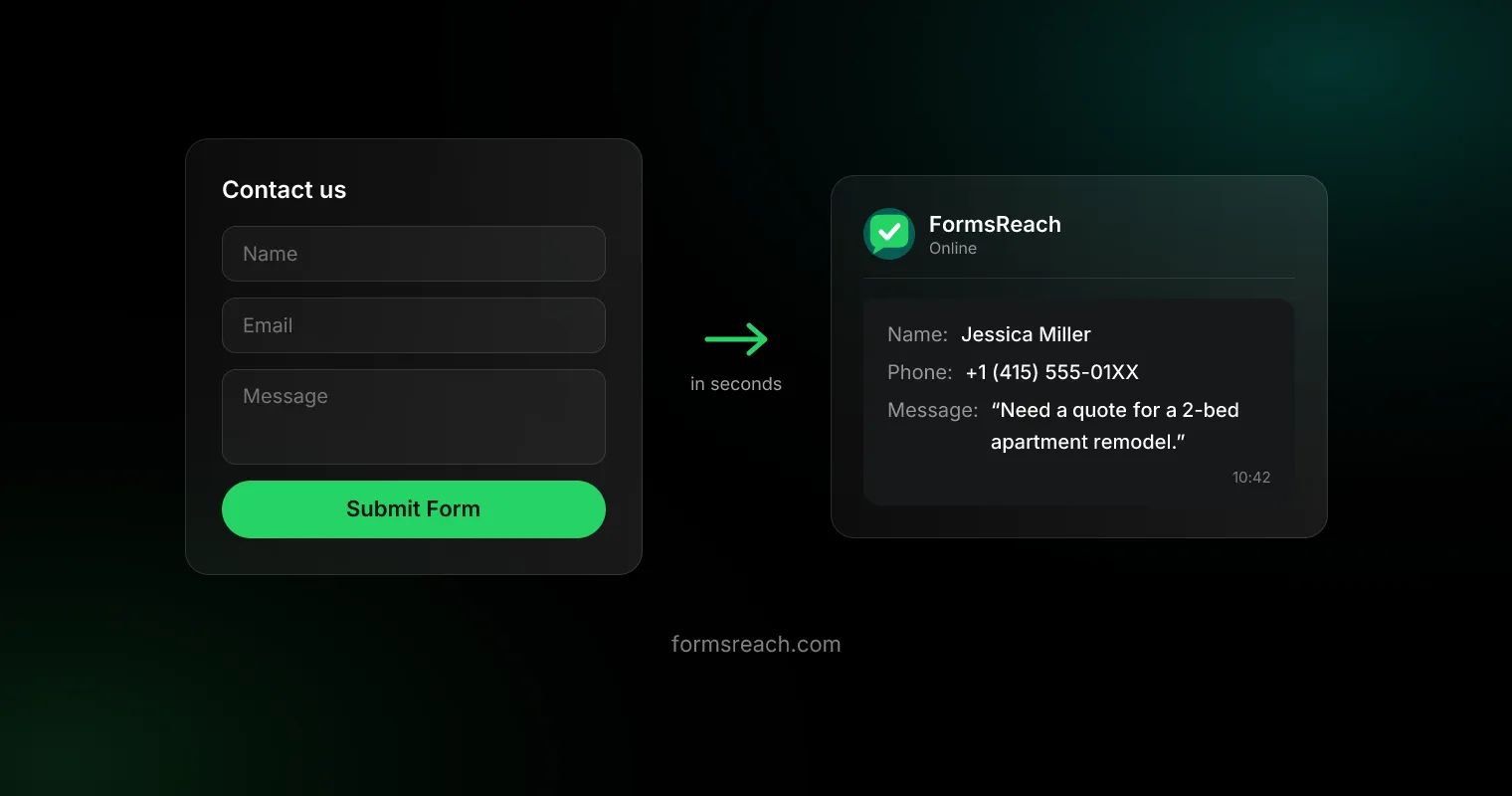
Your website has a contact form. Your customers are on WhatsApp. And somewhere between the two, leads die in an email inbox nobody checks before lunch. This guide shows you how to send website form submissions to WhatsApp directly, using a form API, with no backend, no plugins, and no changes to how your form looks.
The whole setup is a form action attribute and a one-time WhatsApp verification. If you can edit HTML, you’ll be done in about five minutes.
Why send form submissions to WhatsApp instead of email?
Email is where enquiries go to wait. WhatsApp is where conversations actually happen:
- You see it immediately. WhatsApp messages get read in minutes; enquiry emails get read whenever you next open your laptop.
- You can reply in one tap. The lead’s message arrives with their details, so you reply directly instead of composing a formal email.
- The first reply usually wins. Enquiries are comparison-shopped. The business that answers first gets the job, and nobody answers faster than the app already open in their hand.
The catch: WhatsApp has no inbound “email address” you can point a form at. Wiring it up yourself means the Meta WhatsApp Business API: approval process, message templates, webhooks, and a server to run it all. That’s what a form API abstracts away.
What you’ll need
- A website with an HTML form (or any site builder that lets you set a form’s action URL)
- A FormsReach API key (enable WhatsApp delivery in the dashboard)
- A WhatsApp number you can verify with a one-time OTP
No server, no database, no npm install for the basic setup.
Step 1: Point your form at the endpoint
A form API gives your form a URL to POST to. Take any standard HTML form and set its action to the FormsReach endpoint, then add your API key as a hidden field:
<form action="https://api.formsreach.com/submit" method="POST">
  <input type="hidden" name="api_key" value="YOUR_API_KEY">

  <input type="text" name="name" required>
  <input type="email" name="email" required>
  <textarea name="message" required></textarea>

  <button type="submit">Submit Form</button>
</form>
That’s a complete integration. Nothing about your form’s design changes; style it however you like. The three standard fields are name, email, and message, and the hidden api_key field routes submissions to your account.
Step 2: Verify your WhatsApp number
In your FormsReach dashboard, add the WhatsApp number that should receive enquiries. You’ll get a one-time OTP on WhatsApp; enter it and you’re verified. This is a one-time step per number. It’s how the system knows submissions are going to you and not someone claiming your number.
Step 3: Send a test submission
Fill your own form and hit submit. Within seconds you should get a WhatsApp message that looks like this:
| Field | Where it shows up |
|---|---|
name |
Message header |
email |
Tappable reply address |
message |
Message body |
The sender’s details arrive formatted and ready to act on. Tap to reply and you’re in a conversation while your competitor is still refreshing their inbox. An email copy of every submission is included free, so you keep a searchable record too.
Prefer JavaScript? Use the SDK instead
If you’d rather keep the API key out of your markup, or you want submissions handled without a page redirect, use the official browser SDK from @formsreach/js (CDN or npm):
<script src="https://unpkg.com/@formsreach/js/dist/formsreach.min.js"></script>
<script>
  FormsReach.init({ apiKey: 'YOUR_API_KEY' });
</script>

<form data-formsreach>
  <input type="text" name="name" required />
  <input type="email" name="email" required />
  <textarea name="message" required></textarea>
  <button type="submit">Submit</button>
</form>
FormsReach.init auto-binds every form carrying the data-formsreach attribute, with no action and no hidden field. Submissions go out via fetch, so the visitor stays on the page. Full install options and examples: github.com/formsreach/sdk.
Building in React or Next.js? Install @formsreach/react for the useFormsReach hook (submit / submitting). Vue and Nuxt use @formsreach/vue.
Isn’t a wa.me link enough?
A common shortcut is to skip the form and drop a https://wa.me/<your-number> click-to-chat link on the site. It works, but only for the visitors it works for. The problems show up in the leads you never see:
- Desktop visitors bail. Click-to-chat on a laptop means QR codes or WhatsApp Web logins. Many enquirers close the tab instead.
- You get “Hi” with no context. A form collects name, email, and the actual question in one structured message. A wa.me chat starts from zero, and half of them stop at hello.
- There’s no spam control and no record. Anything can message you, and nothing is logged anywhere you can search later.
A form that delivers to WhatsApp gives you both halves: the visitor fills a normal form (works on every device, asks the right questions), and you still get the enquiry as a WhatsApp message you can answer in one tap.
Comparing form backends (Web3Forms, Formspree, Basin, and others) on plans, free limits, and WhatsApp? See the full Web3Forms alternatives guide for 2026.
How it works under the hood
For the curious: when the form POSTs, the endpoint validates your API key, runs the spam checks, formats the fields into a message template, and delivers it through the Meta WhatsApp Business API from a verified business sender. The parts you would otherwise build yourself (Business API access through a solution provider, template approval, webhook handling, retry logic, and a server to host it) are exactly the parts the form API owns. Your side of the contract stays a plain HTTP POST, which is why it works identically from hand-written HTML, a site builder, or a fetch call in any framework.
What about spam?
The moment your form can reach your phone, spam stops being an annoyance and becomes a 2 a.m. buzz. FormsReach filters submissions server-side before they ever reach WhatsApp: a honeypot field catches naive bots, and smart detection catches the rest. It’s built into every plan, including free, so you don’t need a CAPTCHA that costs you real leads.
Does this work on Webflow, WordPress, or Framer?
Yes. Anywhere you can set a form’s action URL or drop in an HTML embed: Webflow, Framer, Wix, WordPress, Shopify, Squarespace, and every static-site setup (GitHub Pages, Netlify, Vercel). The HTML snippet above is the universal path; platform-specific walkthroughs are coming to this blog.
Troubleshooting
The submission is rejected. Check the api_key hidden field. The value must be your actual key, not the YOUR_API_KEY placeholder.
Nothing arrives on WhatsApp. Verify your number first (Step 2). Until the OTP step is done, submissions are held.
My form has extra fields. Do they come through? name, email, and message are the standard trio and format best in the WhatsApp message. Keep custom fields’ name attributes short and readable.
Is this against WhatsApp’s rules? No. Delivery runs on the official Meta WhatsApp Business API from a verified business sender. It is not a browser automation hack, and your number is safe.
I need the visitor to stay on the page after submitting. Use the JavaScript SDK path above; the classic HTML path performs a standard form POST.
Stop losing leads to your inbox
You’ve just seen the entire integration: one form attribute, one OTP. FormsReach exists because enquiries answered in seconds become customers, and enquiries answered tomorrow become someone else’s customers. Point your form at the FormsReach form API - Free includes monthly credits for email, webhooks, and workflow rules (about 250 form → email notifications on Free). WhatsApp via the official Meta API is available on Pro and Agency. Upgrade for larger credit pools when volume grows. There’s no backend to build or maintain. Get your API key and go live today →